

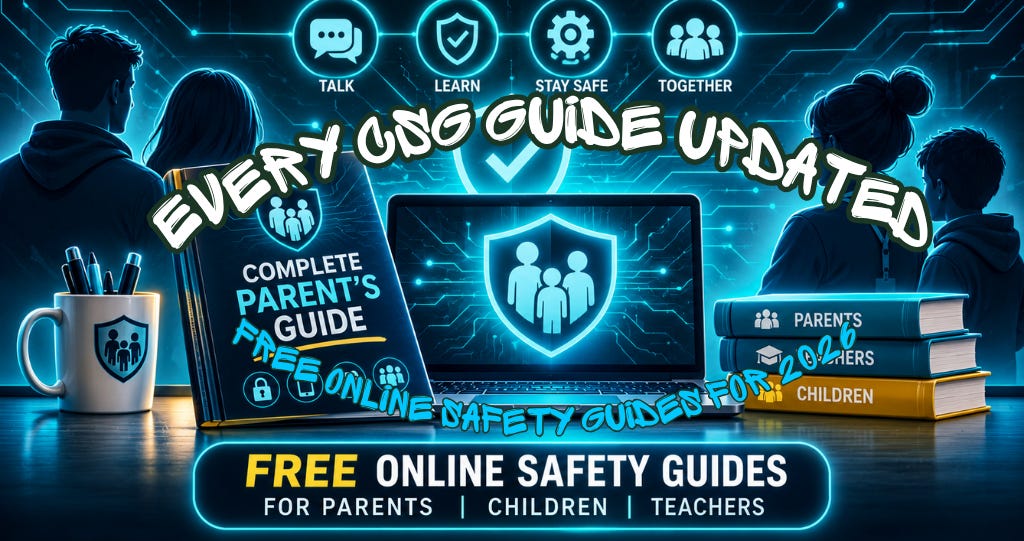

Free online safety guides for parents and teachers are what my resource hub is for, and every single guide on it has now been checked, rebuilt and given a new home. If you’ve downloaded one before, grab the new version, because the apps have changed a lot in 2026 and the guides have changed with them.
There are now 36 free guides, up from 20 when the hub launched in May1. Each one has its own page you can read straight through on your phone, a fresh PDF to keep or print, and there’s a brand new Complete Parent’s Guide built from the same pages.
Why did I rebuild every guide?
It started with the launch of the Cyber Safety Guy Academy last week.
While I was getting the Academy ready, I noticed that many of the guides already on the hub were out of date. I also realised there was no standardisation across them: each one looked and worked a little differently. So as part of the launch, I rebuilt the look and feel of every part of the site, the guides, the threat radar and the parental control setup wizard, so it all looks the same and is easy to use.
I always want parents and teachers to have the most up-to-date, reliable and accurate resources available to them. Patching the worst few wouldn’t have done that and would have been half a job.
Why accuracy matters so much to me
Accuracy was always the first thing we were told in any form of police work, and especially in digital forensics. It matters even more to me because the people reading are parents and teachers trying to protect children.
If I’m inaccurate, they get the wrong information, and that could put a child at risk. That’s something I never want to be responsible for.
So every guide has been checked again against the platforms’ own help pages and UK sources such as Ofcom, the NSPCC and the National Crime Agency, in November 2026. I’ll openly say I can be wrong, as any human can. If you ever spot something that isn’t right, please tell me and I’ll fix it.
What has changed in the online safety guides?
A few examples of what had moved on:
YouTube Shorts: Shorts can now be up to three minutes long, and with a supervised account you can set a daily Shorts limit, including zero to switch the feed off2.
iPhone parental controls: in iOS 27, Apple moved everything to Settings, then Family, and added Ask to Browse and approval for new contacts.
Kik: it’s now meant for over-18s only, but the age checks are easy to get round, so the guide is written for the parent who finds it on their child’s phone.
WhatsApp: teens now have parental controls you can link to, and the guide shows the group setting I’d change first.
Discord: age checks arrived in September 2026, and the guide explains what they cover and what they don’t.
There are new guides too, on livestreaming, AI chatbots, AI companions, sextortion, group chats, screen time and more.
⚡Please don’t forget to react & restack if you appreciate my work. More engagement means more people might see it. ⚡

Can I read the guides online now?
Yes. Every guide now has a page you can read through: the short answer first, then the risks, the settings to change, the warning signs, what I’d do as a parent, and a few words you could actually say to your child. Each page also has a section for teachers and DSLs, common questions, and the sources I checked.
I want you to be able to use the guides in whichever format is easiest for you in that moment. Whether you’re stood at the school gates waiting to pick up your kids, at home waiting for them to come back from school so you can have a chat, or lying in bed after waking up with a bit of time on your hands.
If you’d rather keep a copy, the PDF is one tap away on the same page and says exactly the same thing.
What’s in the new Complete Parent’s Guide?
All 36 guides in one handbook, in four parts: start here, online risks, app guides and parental controls. It ends with a page of who to call, from Childline to CEOP to the Samaritans.
It comes in three versions: one for screens, a printable light version, and a dyslexia-friendly version with larger text on a cream background. Because it’s built from the same pages as the website, it will always say the same as the guides.
What’s the difference between the guides and the Academy?
The guides are the short, sharp hit you need in the moment, when you’ve heard about something and don’t know what it is yet. Read the guide, walk through it, and download the PDF if you want to keep it on your phone or print it off.
The Cyber Safety Guy Academy is for learning about these things properly, for parents and for teachers3. It’s also designed for parents to go through the lessons with their child, with a bit of gamification to keep them interested, or the young teenager, for that matter.
There are 31 free packs for ages 4 to 18, plus packs for parents and teachers, covering AI, scams and money, being kind online, healthy relationships and online grooming. There’s nothing to sign up for and nothing to install, and progress stays on your device.
Where should parents start?
Get yourself onto the new resource hub and have a look at the new guide layout. If you only read one guide, make it Why kids don’t tell parents, then open the guides for the apps your child actually uses.
If you have time, take a walk around the Academy too, so you can get your children involved and start learning about the risks together. More importantly, learning how to deal with them, in a fun way.
All of it is free. No paywall, no sign-up, no email address. Subscription income from this Substack goes to Childline, and that will never change.

As always, thank you for your support. Please share this across your social media, and if you do have any comments, questions, or concerns, then feel free to reach out to me via the Social page, as I am always happy to spend some time helping to protect children online.
Remember that becoming a paid subscriber means supporting a charity very close to my heart and helping it do amazing things for people. Childline, I will donate 100% of paid subscriptions collected every six months, as I don’t do any of this for financial gain. Or to make a one-off donation, go to my Just Giving page.

If you or a child you know needs support:
Childline: 0800 1111 | childline.org.uk
Available 24/7, 365 days a year. Free, confidential, and here for every child.
Cyber Safety Guy free guides, https://guides.cybersafetyguy.com/guides, accessed 15 November 2026. Each guide page lists its own sources.
Cyber Safety Guy, YouTube Shorts guide, https://guides.cybersafetyguy.com/guides/youtube-shorts, accessed 15 November 2026. Sources on the page include YouTube’s families page. Shorts limits apply to supervised child and teen accounts.
Cyber Safety Guy Academy, https://academy.cybersafetyguy.com, accessed 15 November 2026.