

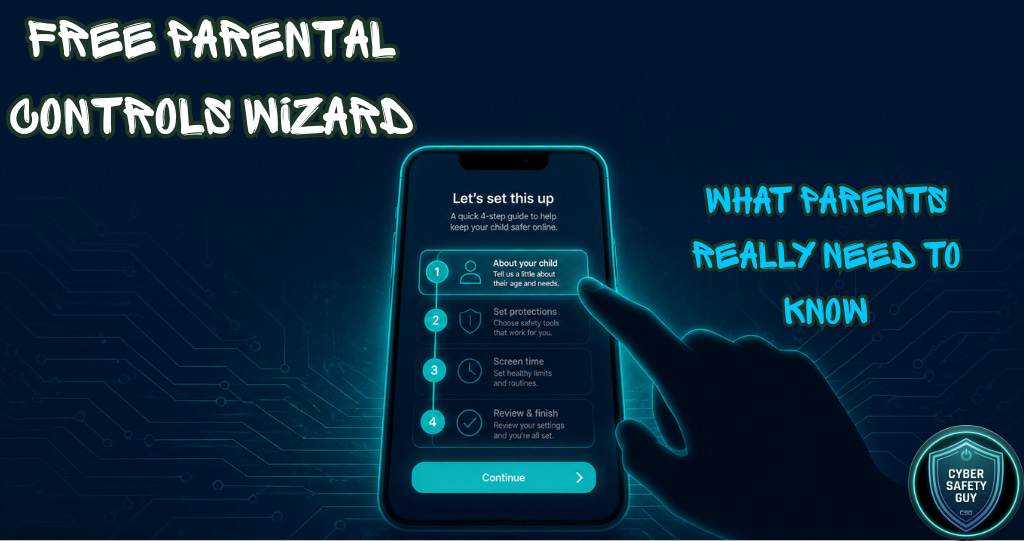
I Built You a Parental Controls Wizard. Here’s Why I Had To.
I get the same message quite often.
“I don’t know where to start.”
A parent. A teacher. A grandparent looking after their grandchild for the summer. They know something isn’t right, they know their child is spending too long on something or talking to someone they shouldn’t be, and they want to do something about it. But they open Settings on their child’s iPhone and stare at a list of options that could mean anything. They look up “how to set up parental controls on Snapchat” and find a three-year-old article written for an older version of the app. They give up.
That’s not a personal failing. That’s a design problem. Platforms and devices don’t make safety easy. They make it optional, buried and confusing, because the longer your child stays on the app, the more money they make.
I’ve spent a decade watching this happen. Before I left the Royal Air Force after 22 years, I spent eight of those years in Digital Forensics and Incident Response, and in that role, I analysed in excess of a million images, a quarter of which were criminal. I know what the worst of this looks like. And what keeps me writing CSG isn’t the statistics, it’s the fact that so much of it is preventable. Not all of it. But a lot of it.
So in the words of Clarkson………….

What the Parental Controls Wizard Actually Does
It’s live now at guides.cybersafetyguy.com. No sign-up, no cost, just four questions.
The first asks how old your child is. Under 10, 10 to 12, 13 to 16, or 17 to 18. Age matters because the risk profile genuinely changes. A 9-year-old on a tablet and a 15-year-old with a smartphone are not the same conversation.
The second asks what device they use. iPhone or iPad, Android phone, Windows PC, Mac, Xbox, PlayStation, or Nintendo Switch. Each one has a different parental control system, and the steps are genuinely different on each.
The third asks which platform you’re most concerned about. Instagram, Snapchat, TikTok, WhatsApp, Discord, Roblox, YouTube, or “all of them, just show me the device settings.” Whatever you’re worried about should hopefully be covered.
The fourth asks what your main concern is. Screen time, explicit content, who they talk to, location sharing and in-app purchases. Or all of the above.
Then it gives you a personalised, step-by-step guide, the exact menu paths, and the exact toggles. A plain-English explanation of what each setting actually does and why it matters, also, where relevant, a direct link to the corresponding CSG guide, which you can download as a PDF.
The whole thing runs in your browser. Nothing is stored. It just works.
The Problem It’s Trying to Solve
Here’s something I want to say directly, because it is important.
App store age ratings are self-certified1. The developer decides what age rating their app gets. Nobody at Apple or Google independently reviews the content before it goes live with a 4+ or 9+ rating. A 9+ rating on an app that allows private messaging with strangers is not a safety feature. It’s a number a developer typed in.
Platform parental controls, where they exist, default to nothing. Zero2. You have to go in and turn them on. That’s not an accident, it’s a choice. The default state of most of these platforms is no time limits, no content filters, no contact restrictions and no purchase controls. A child with a new phone or a new console has none of these things in place until a parent actively sets them up.
The wizard is my attempt to make doing that as easy as possible.
Find it here: Parental Controls https://guides.cybersafetyguy.com/index.html

⚡Please don’t forget to react & restack if you appreciate my work. More engagement means more people might see it. ⚡

What’s Already in the Library
Alongside the wizard, the guides hub has a parental controls library that includes step-by-step PDF guides for iPhone and iPad, Android with Google Family Link, and a set of in-depth platform guides for Instagram, Snapchat, TikTok, WhatsApp, Discord, Roblox, YouTube and others.
All free. All downloadable. All written in plain English3.
The wizard links directly to the relevant guides as you work through it. So if you’re setting up Instagram controls for a 13-year-old on an iPhone, you get the iPhone steps and the Instagram steps on the same page, with a download button for the full PDF guide alongside.
One More Thing
I want to say something about what parental controls are not.
They’re not a substitute for a conversation. I say this in every guide and I mean it. A child who knows why certain settings exist and who trusts that they can come to you if something feels wrong online is safer than a child whose phone is locked down with no explanation. Both things matter. The settings are the floor, not the ceiling.
The conversation is harder than changing a menu option. I know that. But it’s worth having, and I have written previously about how to have it.

Now, go try the wizard. If something is wrong or out of date, there’s a way to tell me, and I’ll fix it. If you need a device or platform that's missing, let me know.
This is what CSG is for.
If this has been useful, please share it with a parent, teacher or anyone who works with young people. That’s how CSG grows, and every paid subscription goes directly to Childline.

As always, thank you for your support. Please share this across your social media, and if you do have any comments, questions, or concerns, then feel free to reach out to me, as I am always happy to spend some time helping to protect children online.
Remember that becoming a paid subscriber means supporting a charity that is very close to my heart and doing amazing things for people. Childline, I will donate all subscriptions collected every six months, as I don’t do any of this for financial gain.

If you or a child you know needs support:
Childline: 0800 1111 | childline.org.uk
Available 24/7, 365 days a year. Free, confidential, and here for every child.
App Store and Google Play age ratings are assigned by developers during submission. Neither Apple nor Google employs independent content reviewers to verify ratings before publication. Source: Apple App Store Review Guidelines, April 2025; Google Play Developer Policy Centre, 2025. Accessed May 2026.
Platform default settings were reviewed across all seven platforms included in the wizard. As of May 2026, none had default screen time limits, content filters, or contact restrictions enabled. Sources: support.apple.com, support.google.com, help.instagram.com, support.tiktok.com, values.snap.com, faq.whatsapp.com, discord.com/safety. Accessed May 2026.
25 guides are currently available at guides.cybersafetyguy.com across four categories: Platform Guides, Understanding Online Risks, Parental Controls, and Further Resources. All free to access and download.