

Most of you know guides.cybersafetyguy.com as the place where you download a PDF about Roblox or Instagram and pass it to a worried parent. That’s how it started. A collection of plain-English guides, free to download, no sign-up required.
But over the last few months, I’ve been turning it into something more ambitious. A hub. A proper one. The kind that doesn’t just give you information but actually helps you act on it.
Today, I want to walk you through what’s there now, but also introduce two things that haven’t been announced anywhere until right now.

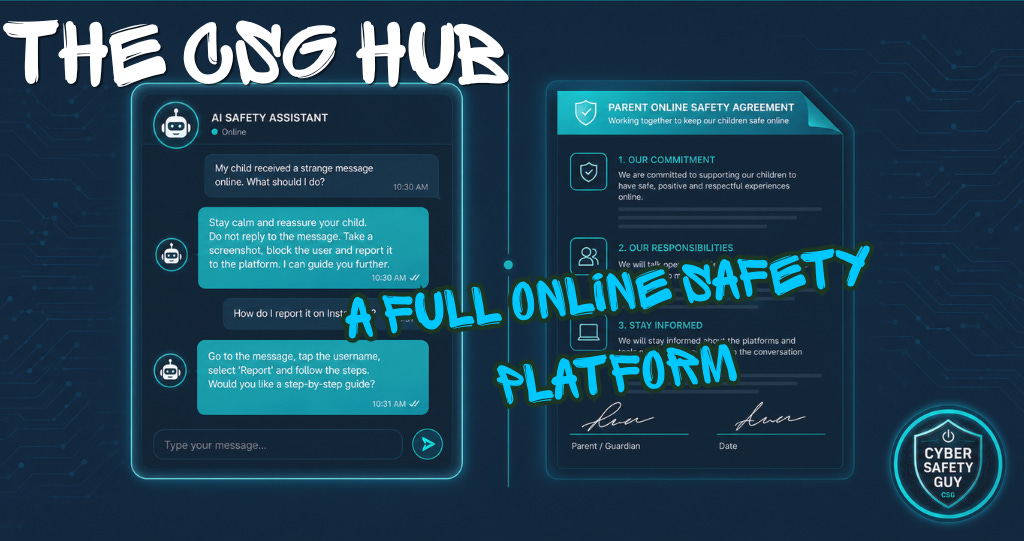
The CSG Safety Assistant
This is the one I’m most excited about.
I’ve built an AI-powered assistant, trained on my entire body of work, including my Substack research, every guide from the hub, and more than two decades of professional experience in policing and digital forensics.
But I didn’t build it to answer general questions. There are already plenty of tools that can tell you what Snapchat is or explain what a VPN does. I built it for a specific moment.
The moment when a parent discovers their child has been talking to a stranger online. The moment a teacher realises something a student said might be a disclosure. The moment a grandparent finds something on a grandchild’s phone and doesn’t know whether to panic, call the police or say nothing at all.
In those moments, generic information is almost useless. What you need is triage.
In my 22 years in the Royal Air Force Police, eight of those spent in Digital Forensics and Incident Response, I was involved in some serious incidents; in every single one, the first thirty minutes were the most critical. What you do, and what you don’t do, in that window shapes everything that follows.
The CSG Safety Assistant applies that same Incident Response framework to the civilian experience. It asks the right questions in the right order. It tells you what to preserve, what not to touch, what to say to your child, and when to call someone else. It is not a replacement for the police or a safeguarding lead. But it is the thing you talk to at 10pm on a Tuesday when you’ve found something on your child’s phone and you don’t know where to start.
You’ll find it at guides.cybersafetyguy.com.
The Digital Safety Contract Generator
Most conversations about online safety end with a parent issuing a set of rules. Don’t talk to strangers. Don’t share your location. Give me your phone at 9pm. The child nods, or doesn’t, and that’s about it.
The problem with rules is that they’re one-directional. The child is expected to comply with something they had no hand in shaping. And when something goes wrong, the trust conversation is much harder because there was no shared commitment to break in the first place.
The Digital Safety Contract is different. Both parties sign it.
You enter your name and your child’s name. You select one of three age-appropriate tiers. The first is for younger children, focusing on foundational habits and clear, simple rules. The second is for the middle years, when independence starts to grow and the risks become more complex. The third is an adult-level agreement for young people aged fifteen and over, covering digital footprint, deepfakes, sextortion and the real-world legal consequences of actions online.
Each tier contains commitments from the child or young adult, but also commitments from the parent.
That second part is what makes it different from anything else out there. The parent commits to listening before reacting. To not taking the phone away the moment something difficult comes up. To stay informed about the platforms their child uses, rather than judging them from the outside. Because an agreement that only binds one party isn’t an agreement. It’s a list of rules with a signature box.
The contract is printable. There’s a signature block for both parties and a date. There’s a breach protocol section, agreed in advance, so that when something goes wrong, the first conversation doesn’t have to be about punishment. It can be about trust, and how you rebuild it together.
Personalise it, print it, sign it and put it somewhere visible. When the time comes, you’ve already agreed on what happens next.
Find it at guides.cybersafetyguy.com.
⚡Please don’t forget to react & restack if you appreciate my work. More engagement means more people might see it. ⚡

The Parental Controls Wizard
Every device your child owns ships with zero parental controls switched on1. Zero, the defaults protect nobody.
The Parental Controls Wizard helps to fix that. Four questions: age, device, platform and concern, it then gives you step-by-step instructions for the exact combination in front of you. Not generic advice. The actual menu path, the actual toggle, the actual setting, with a plain-English explanation of what it does and why. It covers seven devices and seven platforms. The steps are verified against official platform documentation and checked monthly by me.
The Online Safety Guides
More than twenty free PDF guides, organised into four categories: Platform Guides, Understanding Online Risks, Parental Controls, and Further Resources. Each one is written in plain English, designed to be printed, shared, stuck on a school noticeboard or emailed to a parent group. The App Safety Checker on the same page lets you type any app name and get the risks and a relevant guide in seconds.
The Presentations
Three full-length presentations, free on YouTube. One for parents and teachers. One for children under thirteen. One for teenagers. Each runs to around half an hour. Downloadable versions are available for offline use in schools.
One More Thing
I’ll be honest about why I built all of this.
I kept seeing the same thing. Parents who cared deeply, who were paying attention, who were asking the right questions, but who had no idea where to start. Teachers who had fragments of knowledge from a training session three years ago and no time to update it. Carers who felt like they’d arrived at the game at half-time and missed the rules.
The CSG hub is my attempt at a starting point. Not a perfect one. Not a finished one. But a real one. One, I will be updating and iterating going forward.
Everything on it is free! Should you wish to become a paid subscriber, though, every pound of subscription income goes to Childline.
If something is out of date, something you need isn’t there yet, there’s a way to tell me and I will fix it.

As always, thank you for your support. Please share this across your social media, and if you do have any comments, questions, or concerns, then feel free to reach out to me via the Social page, as I am always happy to spend some time helping to protect children online.
Remember that becoming a paid subscriber means supporting a charity very close to my heart and helping it do amazing things for people. Childline, I will donate 100% of paid subscriptions collected every six months, as I don’t do any of this for financial gain.

If you or a child you know needs support:
Childline: 0800 1111 | childline.org.uk
Available 24/7, 365 days a year. Free, confidential, and here for every child.
Platform default settings were reviewed across seven platforms (Instagram, Snapchat, TikTok, WhatsApp, Discord, Roblox, YouTube) as of May 2026. None had default screen time limits, content filters, or contact restrictions enabled at account creation. Sources: help.instagram.com, values.snap.com, support.tiktok.com, faq.whatsapp.com, discord.com/safety, en.help.roblox.com, support.google.com/youtube. Accessed May 2026.