
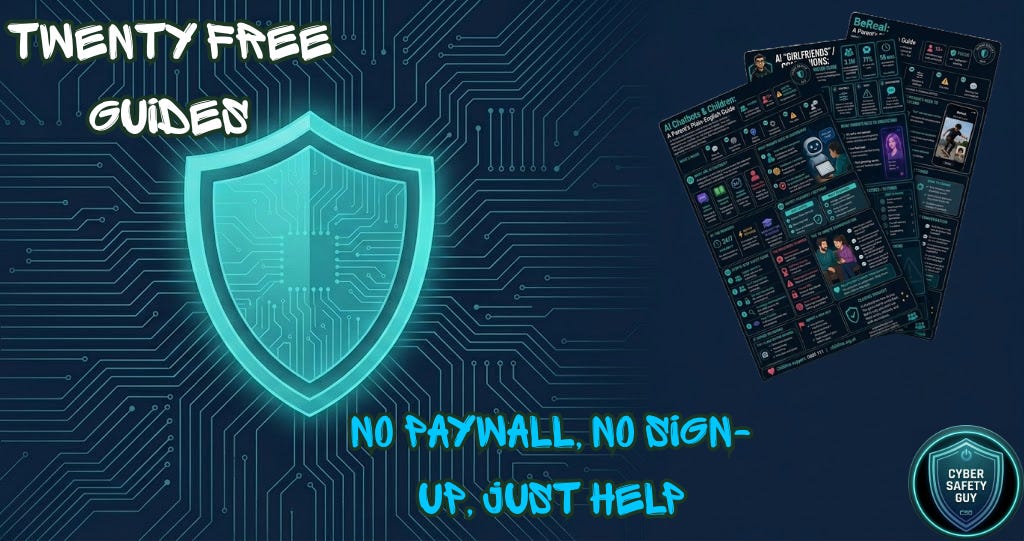
Twenty Free Guides. No Paywall. No Sign-Up. Just Help.


It’s late. You’re sitting on the edge of the bed, phone in hand, because you found something on your child’s device you don’t recognise. It could be an app you’ve never seen, or it could be a username that means nothing to you, or it could be a conversation that made your stomach drop.
You open Google. Twenty-seven million results (possibly made up). News articles. Academic papers. Reddit threads from five years ago. A YouTube video that auto-plays at full volume. None of it tells you what you need to know, right now, in plain English.
That parent’s is the reason I built this.
Introducing the CSG Free Guides Hub
Today, I’m launching something I’m genuinely proud of: 20 free, plain-English guides for parents, teachers, and safeguarding professionals, all in one place, at guides.cybersafetyguy.com.
No sign-up. No paywall. No email address required. Just click, read, and share.
Every guide follows the same structure I’ve used throughout my work here at CSG: what it is, why it matters, the risks you need to understand, step-by-step safety settings, and the ten-minute conversation you can have with your child tonight.
You don’t need a background in tech. You don’t need to have heard of the app before. You just need to be the kind of person who wants to stay in the conversation with your child, and that is enough.
What’s inside
The hub is split into four sections.
Platform Guides (10 guides) covers the apps and platforms your children are actually using: Roblox, Snapchat, WhatsApp, YouTube Shorts, Livestreaming across TikTok Live, Twitch and YouTube, and more. These are not generic ‘be careful online’ write-ups. Each one is specific, practical, and built around what I know from eight years of digital forensics work and eight years more of talking to parents, teachers, and young people directly.
Understanding Online Risks (7 guides) is where it gets serious. This section covers sextortion and image-based abuse1, AI chatbots and AI companions (brand new, marked as such on the page), online gaming and voice chat, group chats, online challenges and trends, and more. These are the threats that don’t always come with obvious warning signs, and the guides are designed to explain them clearly so you know what to look for before something goes wrong.
Parental Controls (2 guides) is exactly what it says: practical, step-by-step guidance on screen time and device overuse2, and sharenting, the act of sharing photos of your children online and why it carries more risk than most parents realise. More guides are coming to this section soon.
Further Resources (1 guide) currently holds what I think is the most important thing I have ever written for this platform.
⚡Please don’t forget to react & restack if you appreciate my work. More engagement means more people might see it. ⚡


“The guide I most want you to read: Why Kids Don’t Tell Parents (And How to Fix It).”
The guide I want you to read first
It is called ‘Why Kids Don’t Tell Parents (And How to Fix It).’
I have spent a long time thinking about this one. I’ve sat in rooms with the evidence of what happens when a child doesn’t feel safe enough to tell an adult. I’ve spoken to parents who had no idea anything was wrong until it was already too late and I’ve spoken to children who were targeted online and felt completely alone with it.
The guide is not about fear. It is about understanding why children stay silent about online harm, and what you can do to open that door before something goes wrong. That one conversation, had at the right time and in the right way, is worth more than every parental control setting combined.
Who this is for
Every parent who has ever looked at their child’s screen and felt completely out of their depth. Every teacher who has wanted to say something useful in an assembly but wasn’t sure where to start. Every safeguarding professional needs a trusted, plain-English resource they can point families towards.
Every guide is free. Every guide is shareable. Print them, email them, put them in the school newsletter. They exist to be used.
And yes, if you choose to support CSG through a paid Substack subscription, every penny goes to Childline. But you don’t have to pay a single thing to access the guides. That was never part of the deal.
One more thing
The search bar at the top of the page works. Type ‘Roblox’, ‘grooming’, ‘screen time’, and it’ll find the right guide immediately. I know that when you’re worried about your child, you don’t want to scroll. You just want the answer.
That is what I built this for.

As always, thank you for your support. Please share this across your social media, and if you do have any comments, questions, or concerns, then feel free to reach out to me, as I am always happy to spend some time helping to protect children online.
Remember that becoming a paid subscriber means supporting a charity that is very close to my heart and doing amazing things for people. Childline, I will donate all subscriptions collected every six months, as I don’t do any of this for financial gain.

If you or a child you know needs support:
Childline: 0800 1111 | childline.org.uk
Available 24/7, 365 days a year. Free, confidential, and here for every child.
Internet Watch Foundation, Annual Report 2024. Available at: iwf.org.uk. Accessed May 2026. The IWF has consistently reported sextortion and self-generated child sexual abuse material as one of the fastest-growing categories of online harm. The specific figures shift year on year, so always verify current stats at the source.
Ofcom, Children and Parents: Media Use and Attitudes Report 2024. Available at: ofcom.org.uk. Accessed May 2026. Ofcom's annual research provides the most reliable UK-specific picture of children's screen time and parental concern. Note that this is a survey-based study and does not capture all devices.